MacProTools

PST to PDF Converter

Rated ( 4.9/5 ) by 1522 Users

The MacProTools PST File to PDF Converter offers robust functionality with a modern design that ensures authentic PST to PDF conversion. The software supports processing multiple PST files simultaneously without compromising performance. The application’s intuitive GUI makes it self-explanatory, while offering flexibility by supporting various file formats and compatible email clients. Moreover, the tool handles batch conversions with precision and guarantees data privacy, too.

  • Enables conversion of PST files to PDF along with several other formats.
  • Direct migration of PST mailboxes to email platforms such as Office 365, Gmail, and more.
  • Allows conversion of a single PST file and bulk PST to PDF file conversions.
  • Preview feature to view emails and attachments before exporting for better accuracy.
  • Automatically remove duplicate emails after the conversion is complete.
  • Efficiently retain original mailbox folder structure throughout conversion.
  • Export PST email attachments into PDF format along with the emails.
  • Effortlessly backup or migrate emails with or without attachments.
  • Use advanced Mail filter and Task filter to selectively migrate data.
  • Built-in custom folder naming option to assign names to output files as needed.
  • Allows One-Time Service Option and provides multiple licensing options.
  • Assess software’s features with the free PST to PDF Converter for Mac.
product-box

Why Choose MacProTools PST File to PDF Converter?

How does MacProTools PST File to PDF Converter for Mac work?

Users can effortlessly convert a PST file to the PDF file format with the MacProTools software. This converter tool also offers an option to select multiple files or folders for bulk conversion. Additionally, it guarantees 100% secure and error-free results.

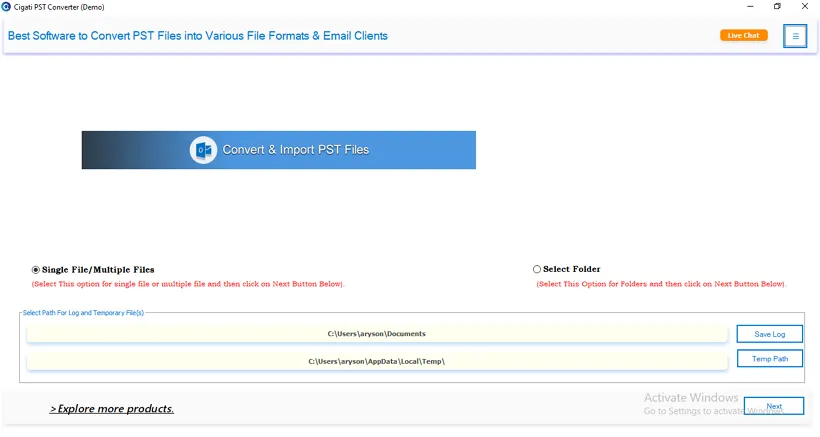
  1. Download and launch the PST to PDF Converter.
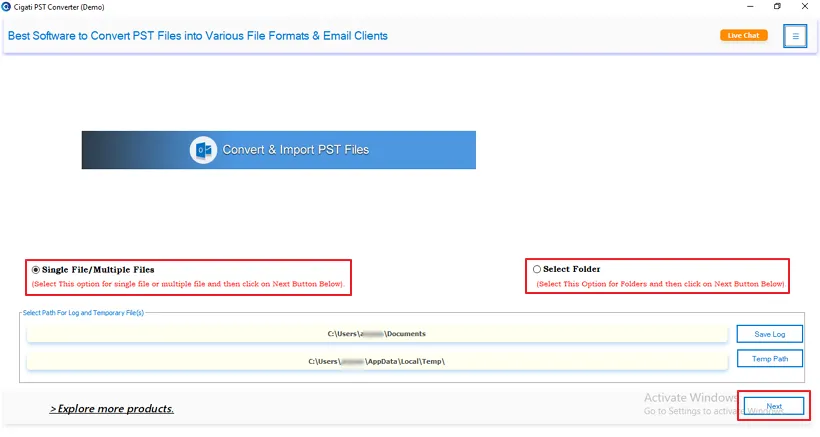
  2. Choose Select File/Multiple Files for single or multiple PST file conversion or Select Folder for bulk operations.
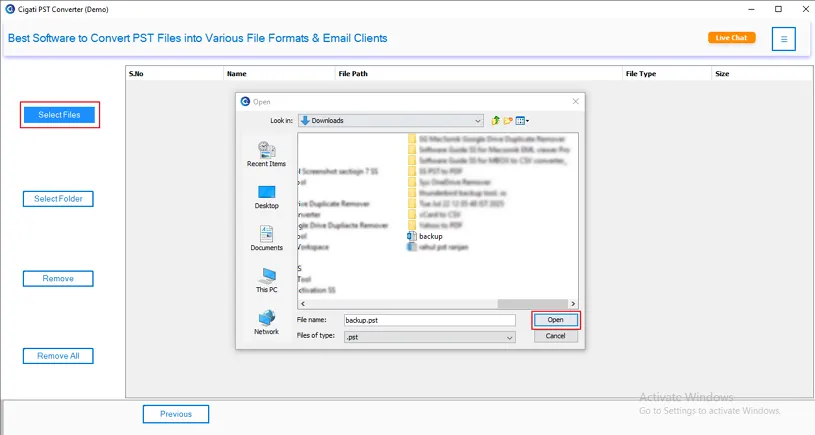
  3. Browse the desired PST file, select it, and open it.
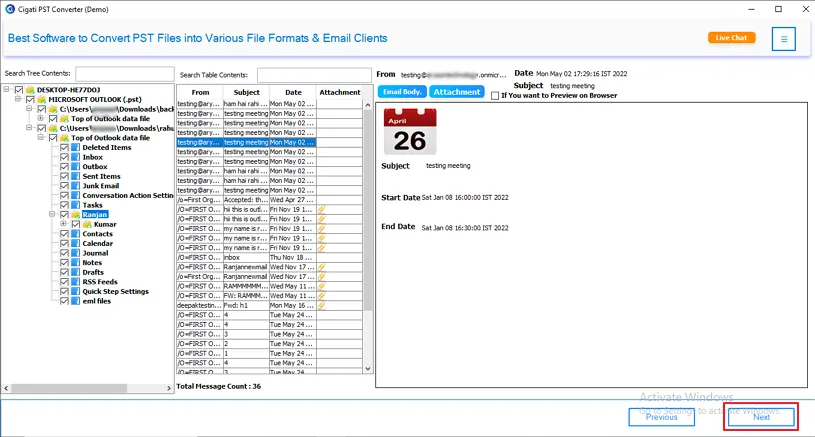
  4. Preview the files and attachments, and then click Next.
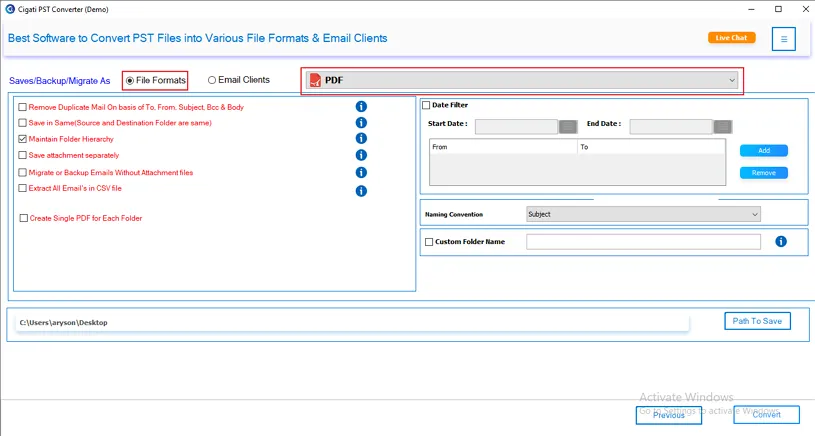
  5. Select PDF from the drop-down menu and apply the filters.
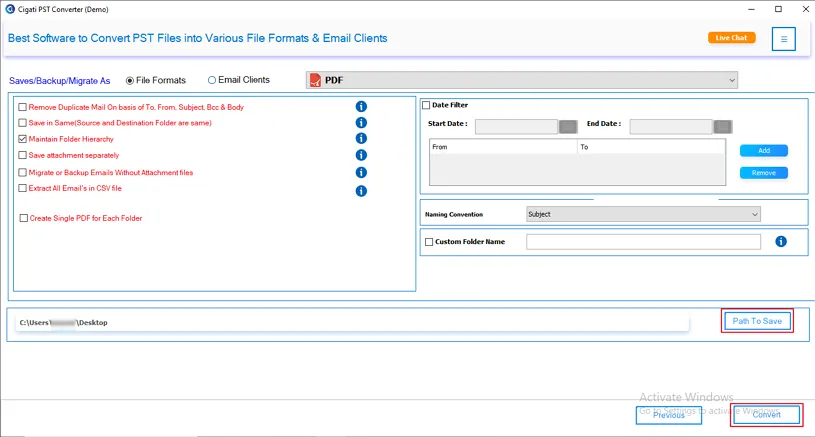
  6. Lastly, specify the destination path and hit the Convert button.

Why do we need the MacProTools PST to PDF for Mac Tool?

PST files work exclusively for MS Outlook for Mac. So, converting them into PDF ensures compatibility, accessibility, and smoother migrations. The MacProTools PST to PDF Converter makes this conversion process fast, accurate, reliable, and error-free.

Exclusive Features of PST File to PDF Converter for Mac

PST to PDF File Conversion

PST to PDF File Conversion

The PST to PDF Converter is a reliable and efficient functionality that converts PST files into PDF format, including all email attachments. The tool also offers flexibility to convert PST file data into other file formats and email applications. It also preserves the original mailbox hierarchy post-conversion.

Error-Free Migration

Error-Free Migration to Email Clients

The PST File to PDF Converter is a trusted solution to export PST files to a wide range of email clients. It seamlessly migrates the PST file data to Gmail, Yahoo Mail, iCloud, HostGator Email, Amazon WorkMail, Yandex Mail, Live Exchange, and many other platforms. Additionally, it automatically removes duplicate messages during the conversion.

Convert PST Files at Scale - Single or Bulk

Convert PST Files at Scale - Single or Bulk

With the PST to PDF Batch Converter, users can efficiently export individual as well as multiple PST files into PDF format. The software supports large-scale PST conversions and features a clean and intuitive interface that makes PST conversion quick and hassle-free. The simple interface allows non-technical users to complete the conversion effortlessly.

Secure Preview of Emails & Attachments

Secure Preview of Emails & Attachments

The PST to PDF for Mac Tool provides a preview functionality with which users can check emails and attachments before beginning the conversion process. This feature also enables them to examine the PST data beforehand and choose only the required items for conversion to PDF format.

Ensures Folder Hierarchy

Ensures Folder Hierarchy Integrity

Unlike other software that fails to preserve data accuracy after PST file conversion, the PST File to PDF Converter stands out as a highly efficient and reliable solution, ensuring the folder hierarchy and data integrity. It also ensures that no data gets lost during the conversion process.

Reliable PST Attachment Export to PDF

Reliable PST Attachment Export to PDF

With its advanced conversion capabilities, the Outlook PST to PDF Converter allows users to export PST file attachments directly into PDF format. In addition to this, it also provides an option to store each attachment as an individual PDF file.

Demo Version for Evaluation

Demo Version for Evaluation

The PST to PDF Converter is available for trial by users to test out its functionalities. With the trial version, users can convert up to 50 emails per folder for free. It is the best way to check if all the data is converted accurately without corruption or loss.

Multi-Platform Support

Multi-Platform Support

MacProTools software is fully compatible with all Windows versions. Its user-friendly interface makes it a great choice among individuals and businesses. Moreover, it runs smoothly on Windows, Mac, and Linux operating systems.

Technical Specifications - MacProTools PST File to PDF Converter

Key --

Version: 25.9

Size: 232 MB

License: S/A/E/T

Updates: August 2025

System Requirements --

Processor: Apple Silicon (M1, M2) & Intel

Hard Drive: 500 MB of free hard disk space required

RAM: 4GB minimum (8 GB recommended)

Operating System: macOS Ventura 13, Monterey 12, Big Sur 11 & below

Note: The demo version of the PST to PDF Conversion Tool allows you to convert 50 emails per folder for free.

Frequently Asked Question
Ans-

Follow these steps to convert PST to PDF:

  1. First, download and install the software.
  2. Open the application and choose from Select File/Multiple Files or Select Folder.
  3. Then, locate the desired PST file and select it to upload it. You can also choose to select a folder for bulk conversions.
  4. Next, select PDF from the drop-down list.
  5. Opt for the additional filters to refine the conversion process.
  6. At the end, click on the Convert option.
Ans- Manually converting multiple PST files to PDF can be complex, time-consuming, and inefficient. MacProTools PST File to PDF Converter does it easily and efficiently. It allows users to upload files or a folder, and then converts them in one go.
Ans- Yes. The software preserves the original mailbox structure, ensuring that folders appear the same in the PDF output.
Ans- The MacProTools PST to PDF Converter for Mac Tool provides three ways to manage the attachments. They are: Migrate or backup emails without Attachment Files, save PDF attachments separately, or create a single PDF for each folder.
Ans- Yes. The Outlook PST to PDF Converter is compatible with Outlook 2011, 2016, 2019,2021, and Outlook for Microsoft 365.
Ans- The trial version of PST File to PDF Converter allows users to have a basic overview of the software before buying. The trial version converts only 50 emails per folder. To convert the entire folder, upgrade to the full version of the software.
PST to PDF Converter - Free vs Paid Comparison
Software Feature Demo Version Paid Version
Converts PST to PDF 50 Emails Per Folder
Export PST files to Office 365, Yahoo Mail, Gmail, G Suite, etc. 50 Emails Per Folder
Preserves Original Folder Hierarchy
Secured Bulk PST to PDF Conversions
Prioritize Users’ Data Privacy
Effectively Remove Duplicates from Mail Items
Preview Panel to View Emails & Attachments
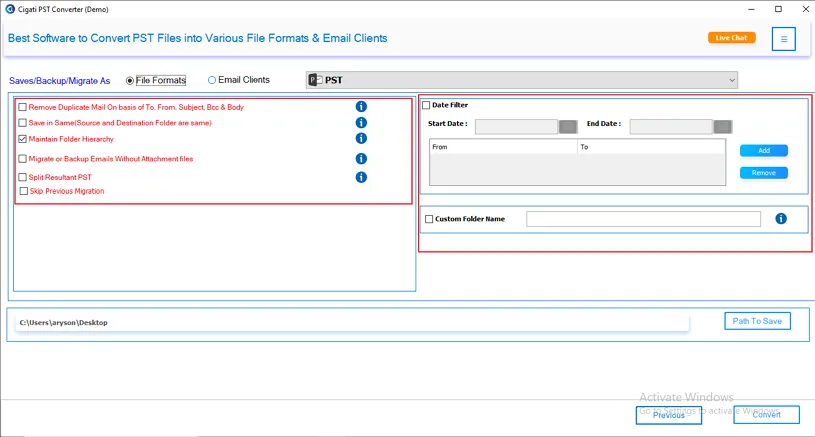
Advanced filters, such as Date Range and Split Resultant PST File, etc.
Excludes or includes Attachments
Create Single PDF for Each Folder
Tech Support 24*7
Download Purchase Now

Testimonials

A Glimpse into Client Experiences

Thousands of satisfied customers have chosen our software and praised its reliability and performance. They have shared positive stories about how the PST File to PDF Converter has helped them manage their files efficiently.